Next: verify your domain & connect
Got your Pixel ID and token? Part 2 verifies your domain, allow-lists it, and connects the credentials to OnlyFans Pixel.
The part everyone gets stuck on. By the end you’ll have a Pixel ID and a never-expiring Conversions API token — every screen below, with screenshots.
Your Model - OnlyFans1881842942413828) — keep it for Step 3The app is what the System User token will be issued against.
Conversions API System User → role: Employee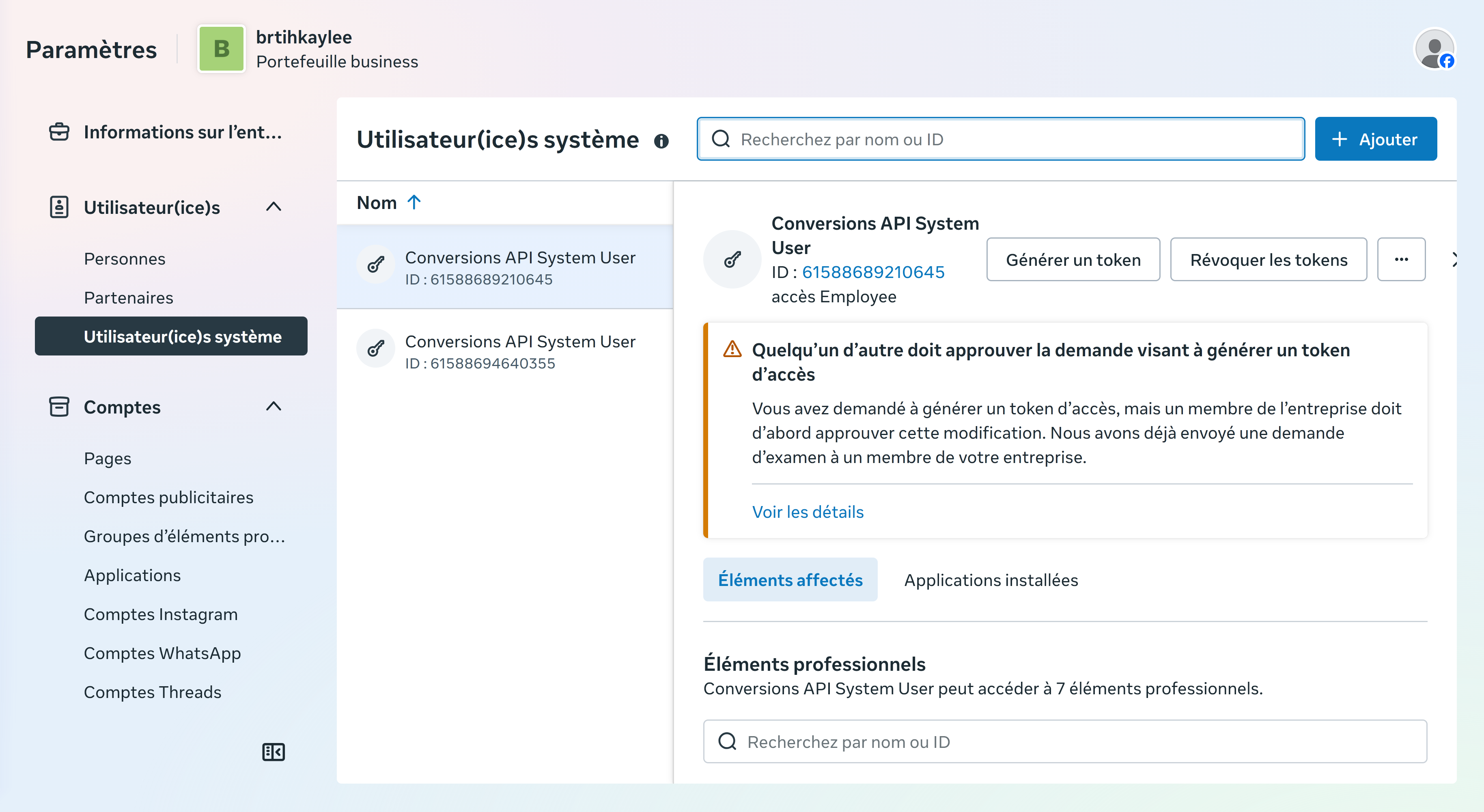
Open the System User and click the ··· menu → "Add Assets" (FR: Affecter des éléments).
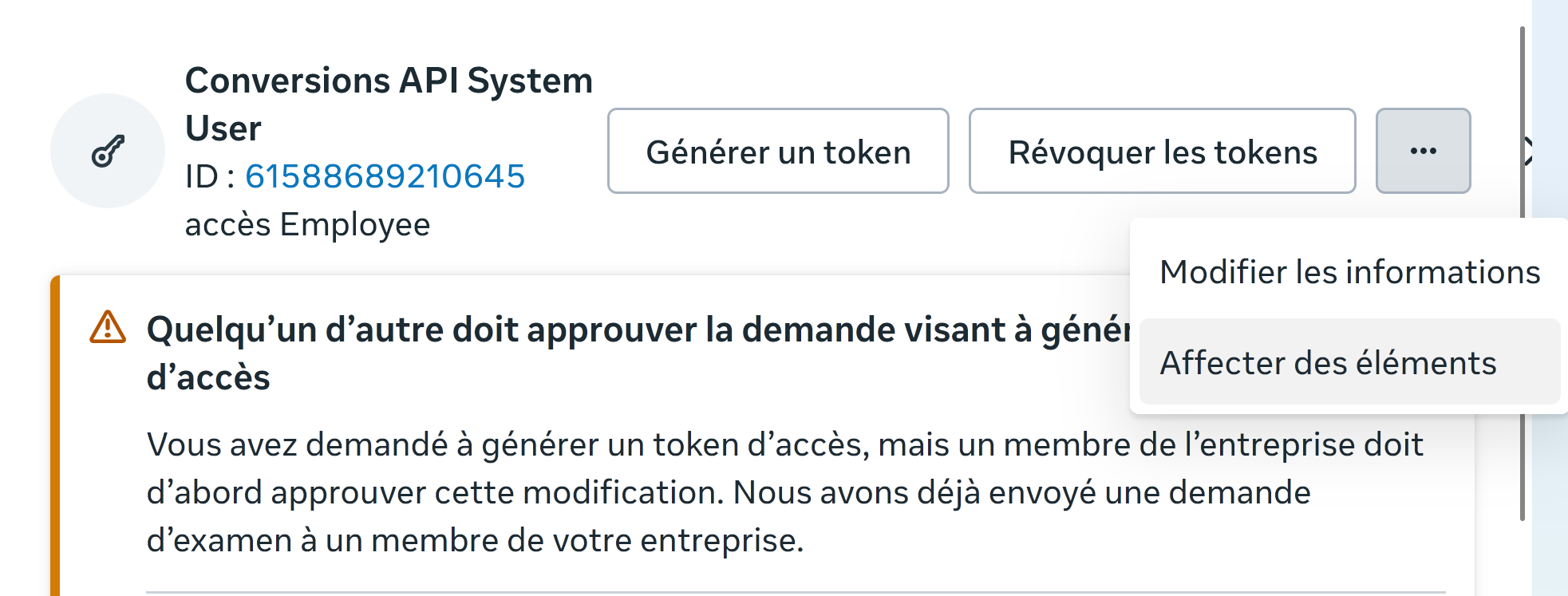
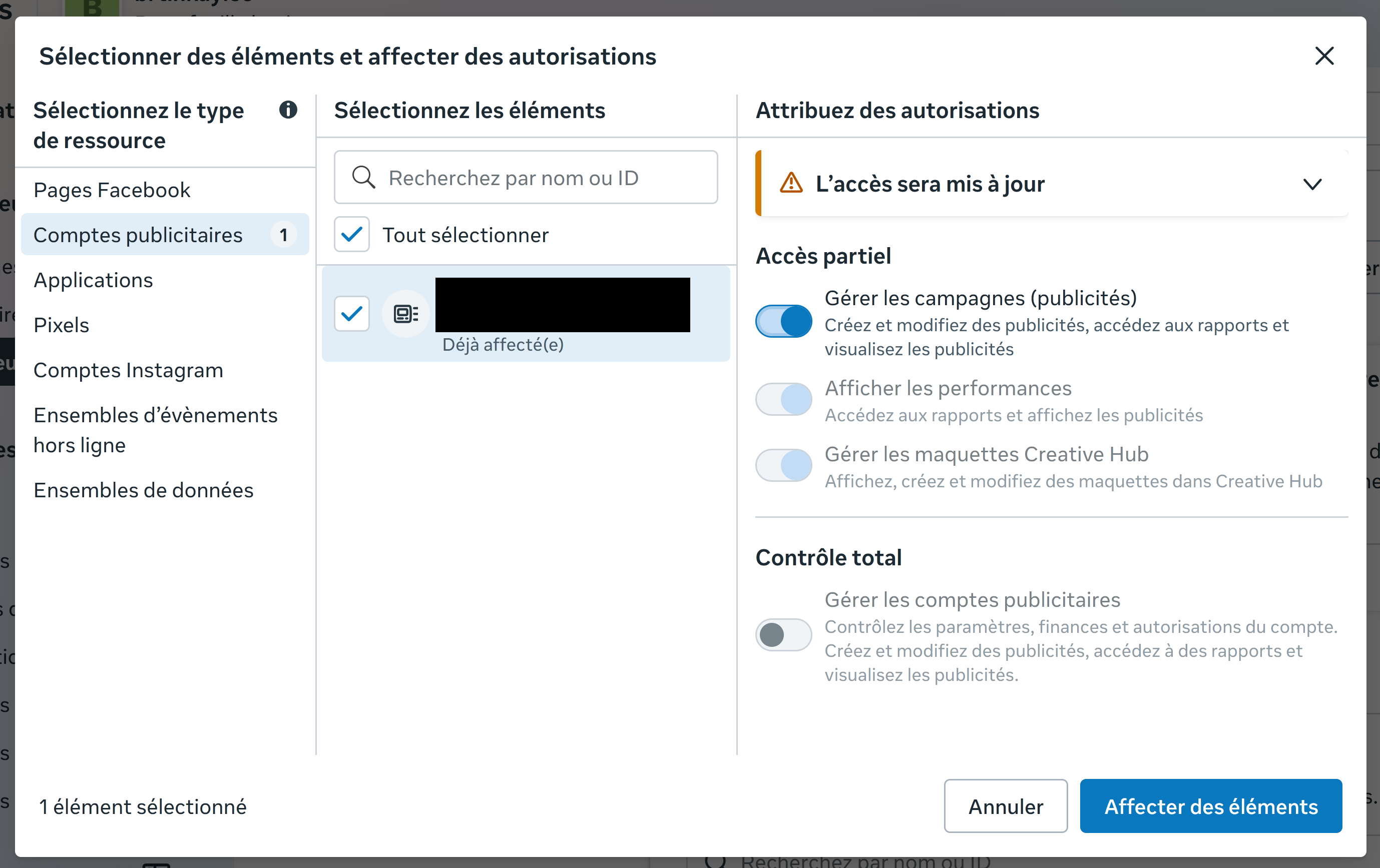
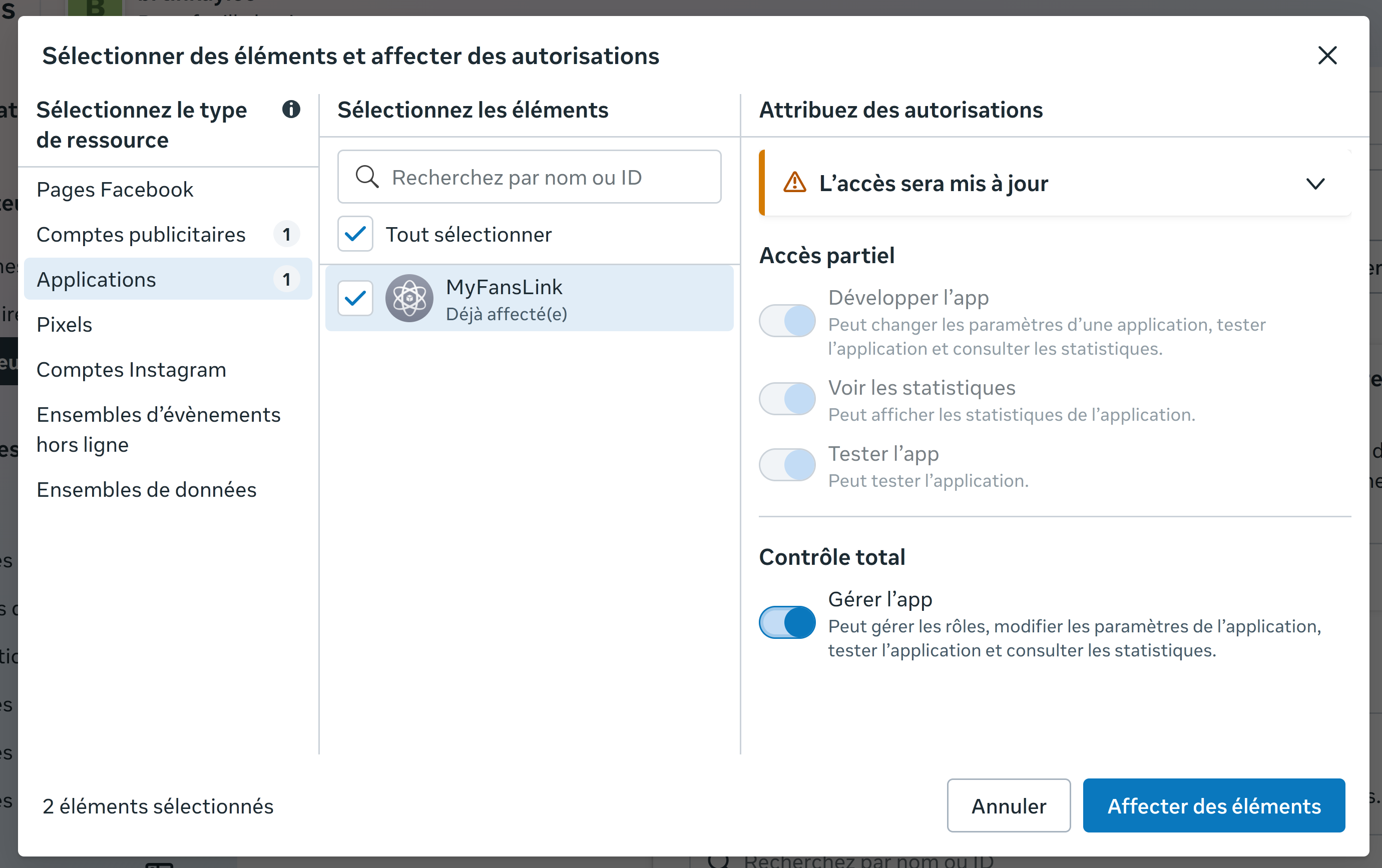
Assign the following three asset types:
Pick the ad account you'll run ads from → Partial access → "Manage Campaigns" (FR: Gérer les campagnes).
Pick the app from 1.B → Full control → "Manage app" (FR: Gérer l'app).
Pick the Pixel from 1.A → Full control → "Manage the event dataset" (FR: Gérer l'ensemble de données d'évènements).
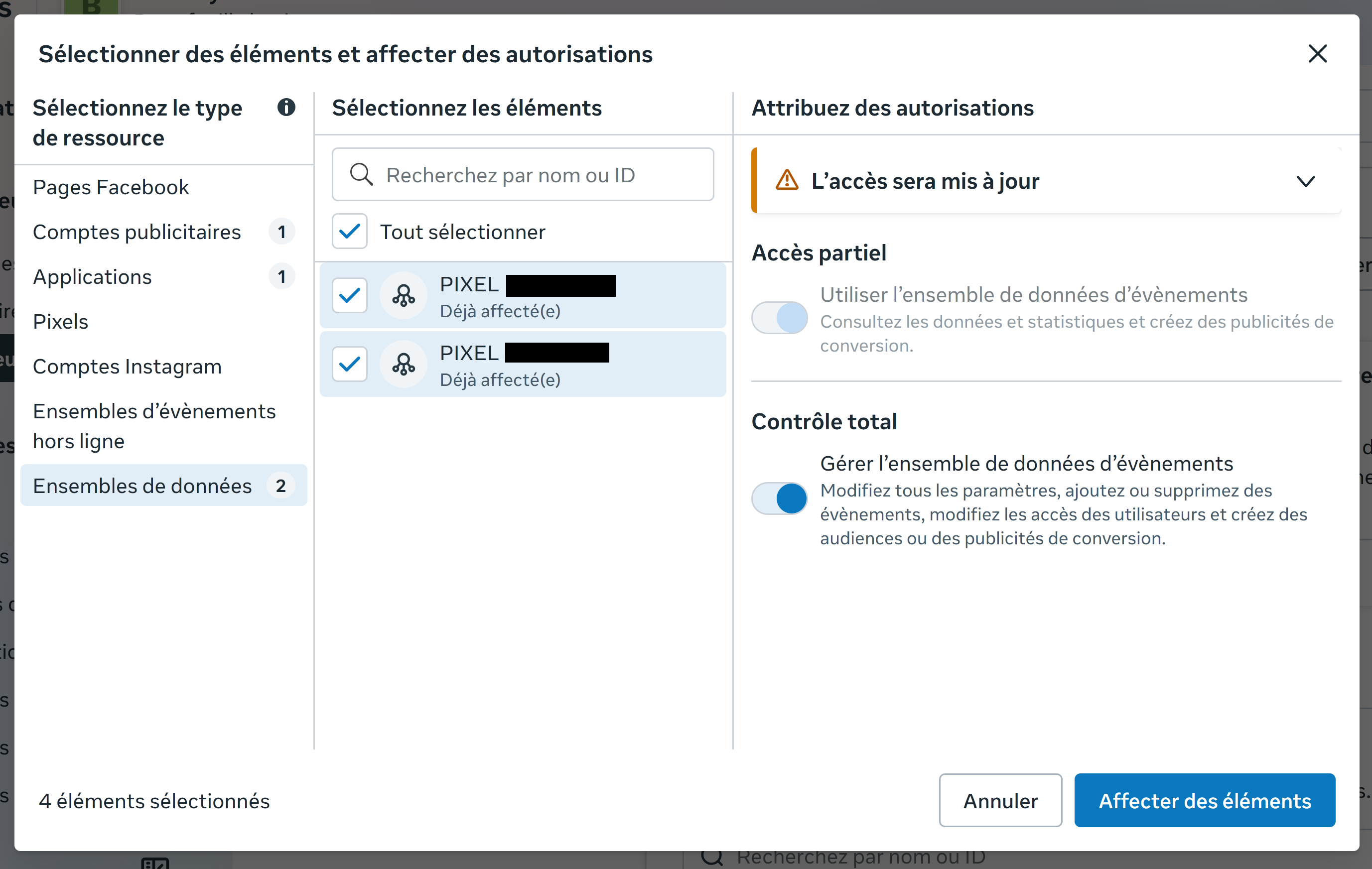
Note: Meta merged Pixels into "Datasets" — same thing, new name.
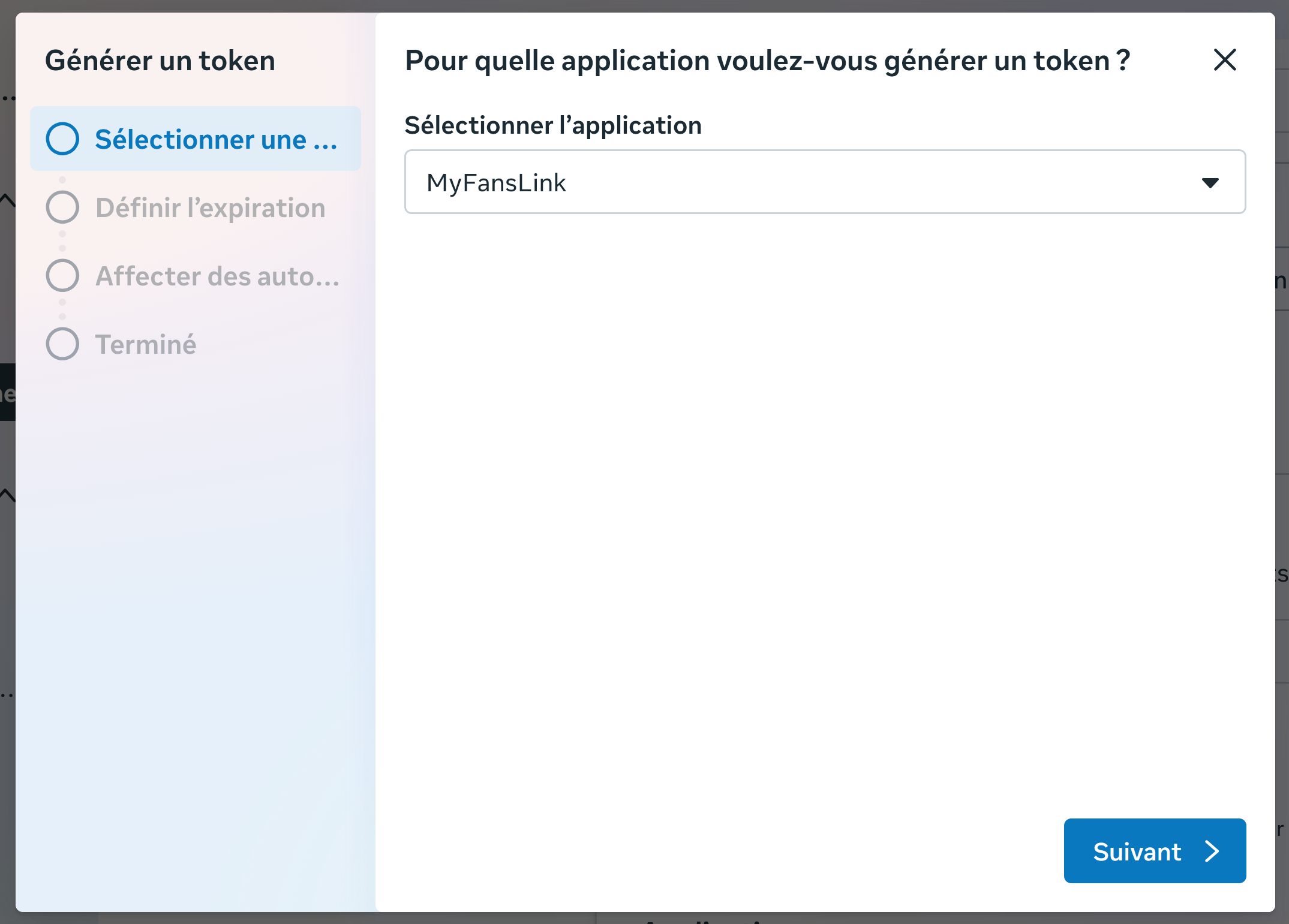
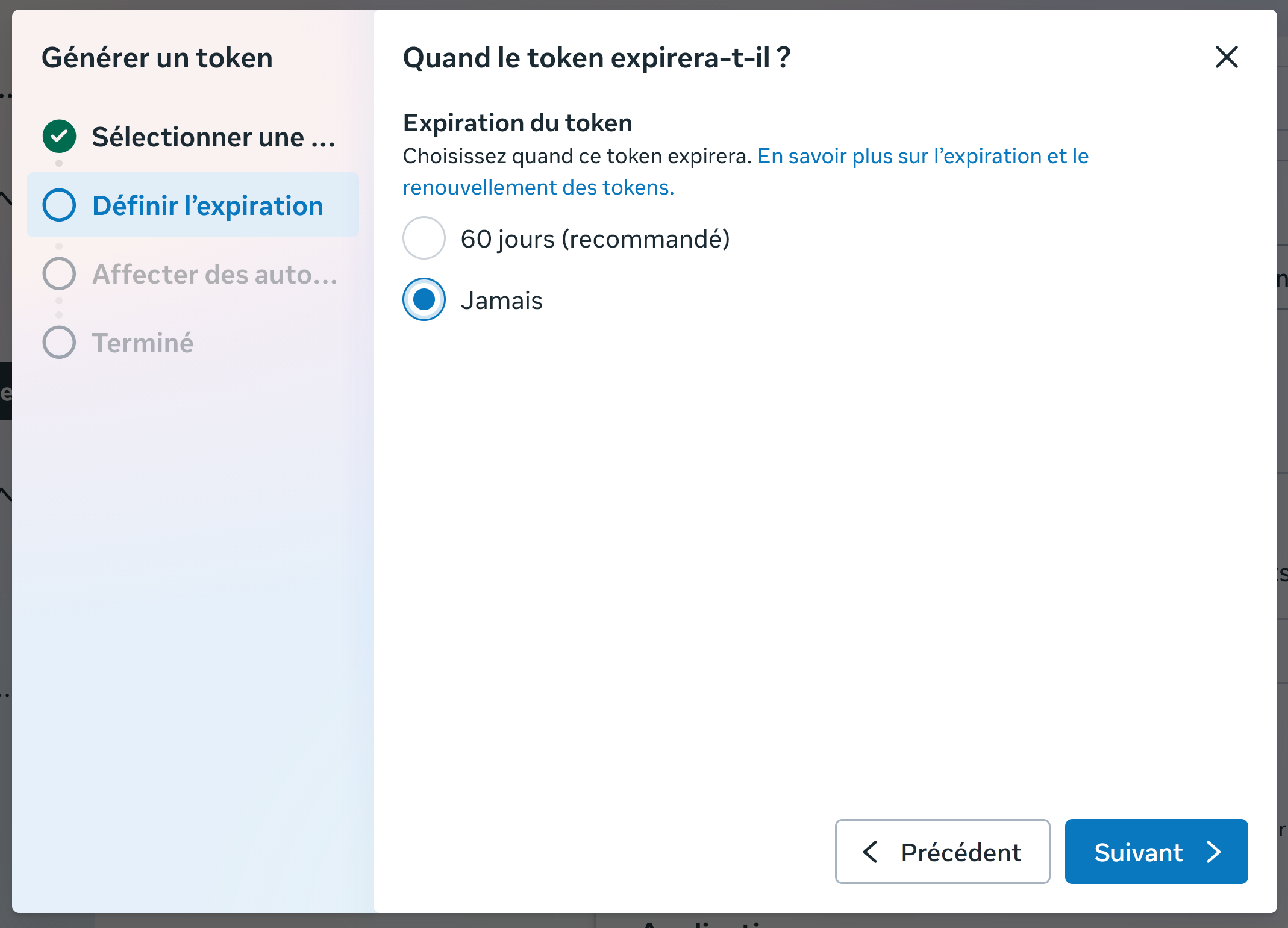
Back on the System User page, click "Generate New Token" (FR: Générer un token) and walk through the 3 steps:
Pick the app from 1.B (e.g. OnlyFans Pixel).
Choose "Never" (FR: Jamais) — recommended for server-to-server CAPI.
ads_managementads_readbusiness_management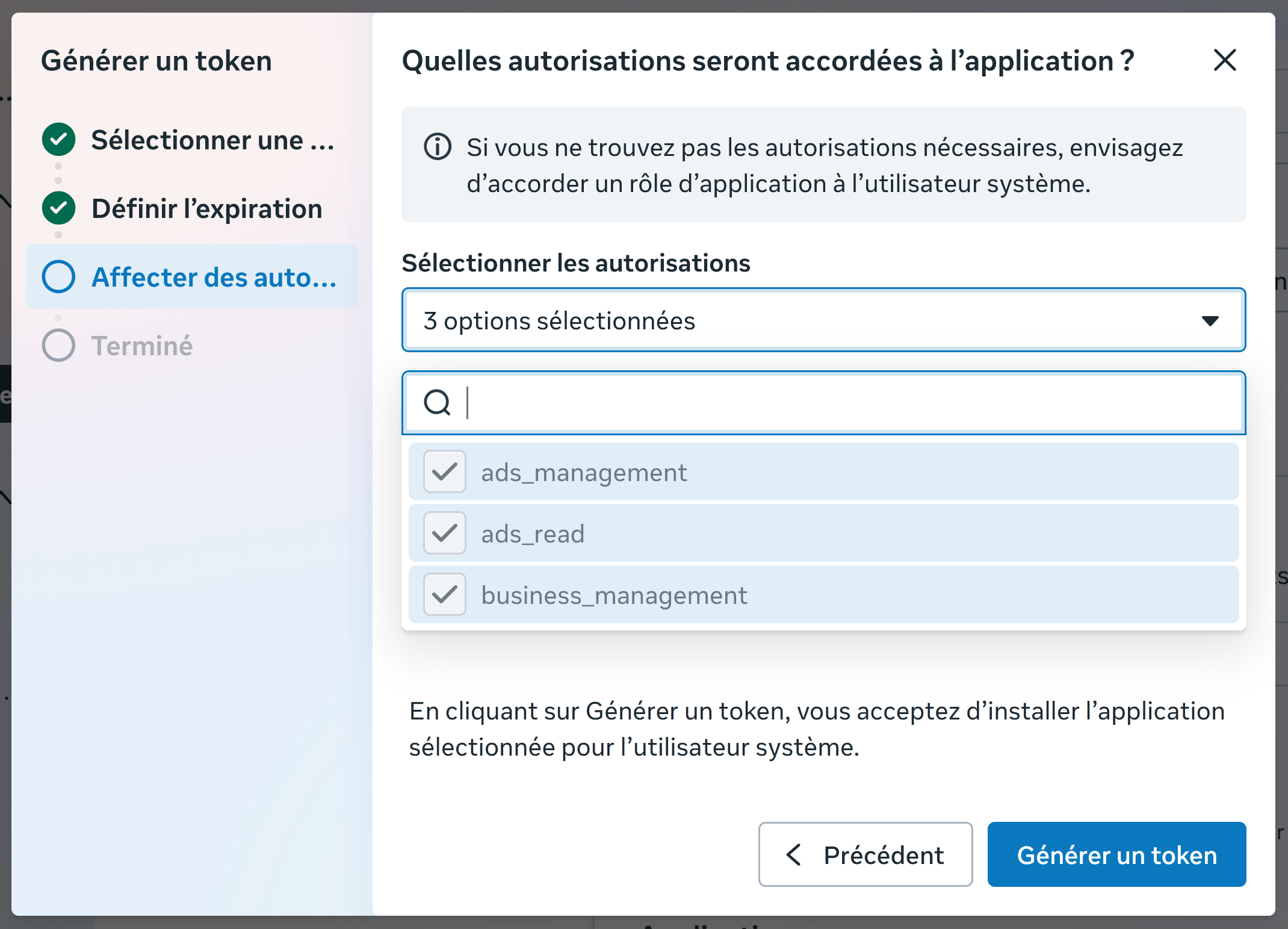
EAA...) — keep it for Step 3 of this guide. The token is shown only once. Store it safely.Got your Pixel ID and token? Part 2 verifies your domain, allow-lists it, and connects the credentials to OnlyFans Pixel.